
How it works
One operating loop — from first call to paid.
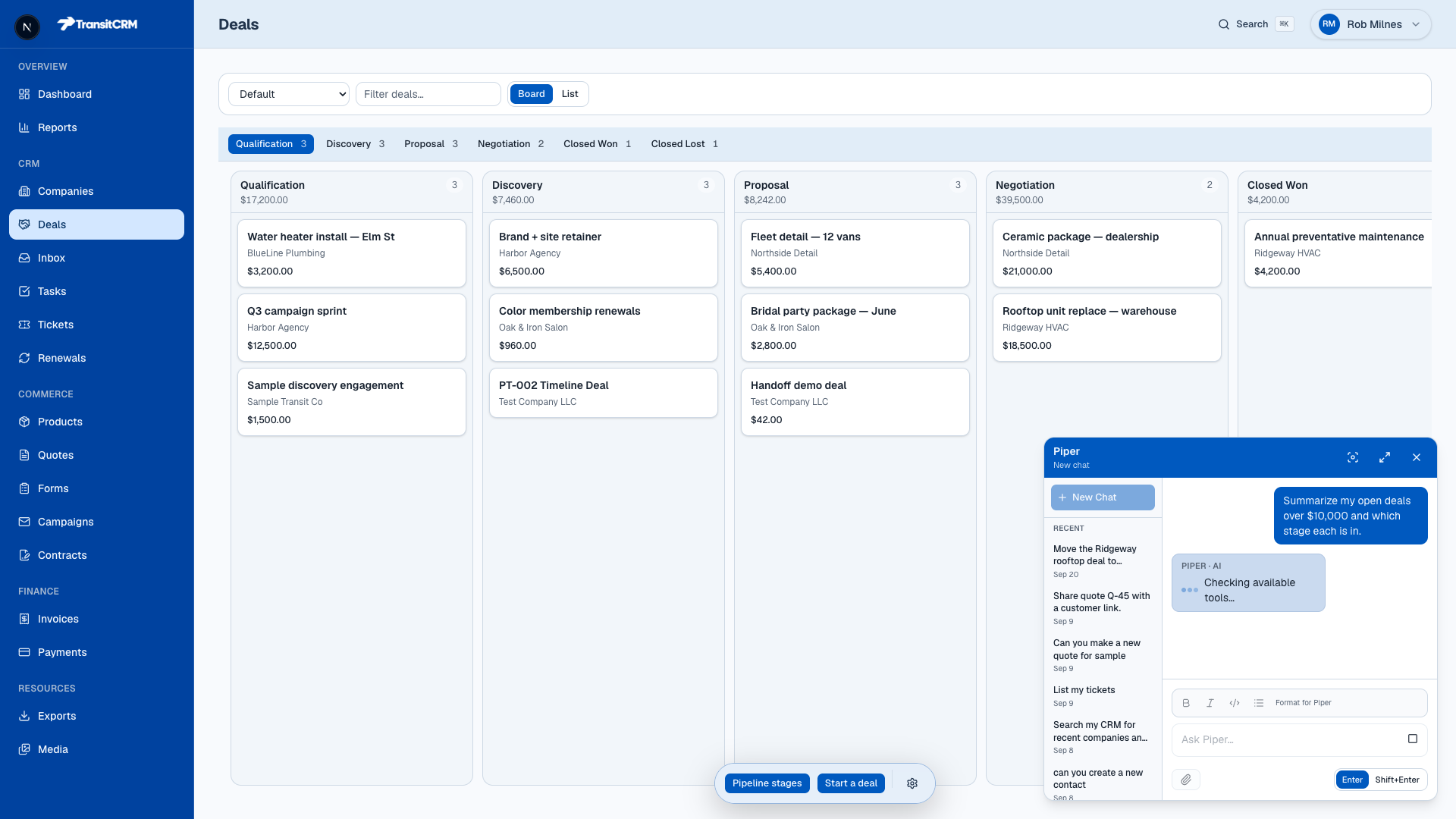
Real product screens from a working workspace — not empty shells. Pipeline motion, Piper in the CRM, and guided Stripe Connect so collecting payments isn’t an afterthought.
01
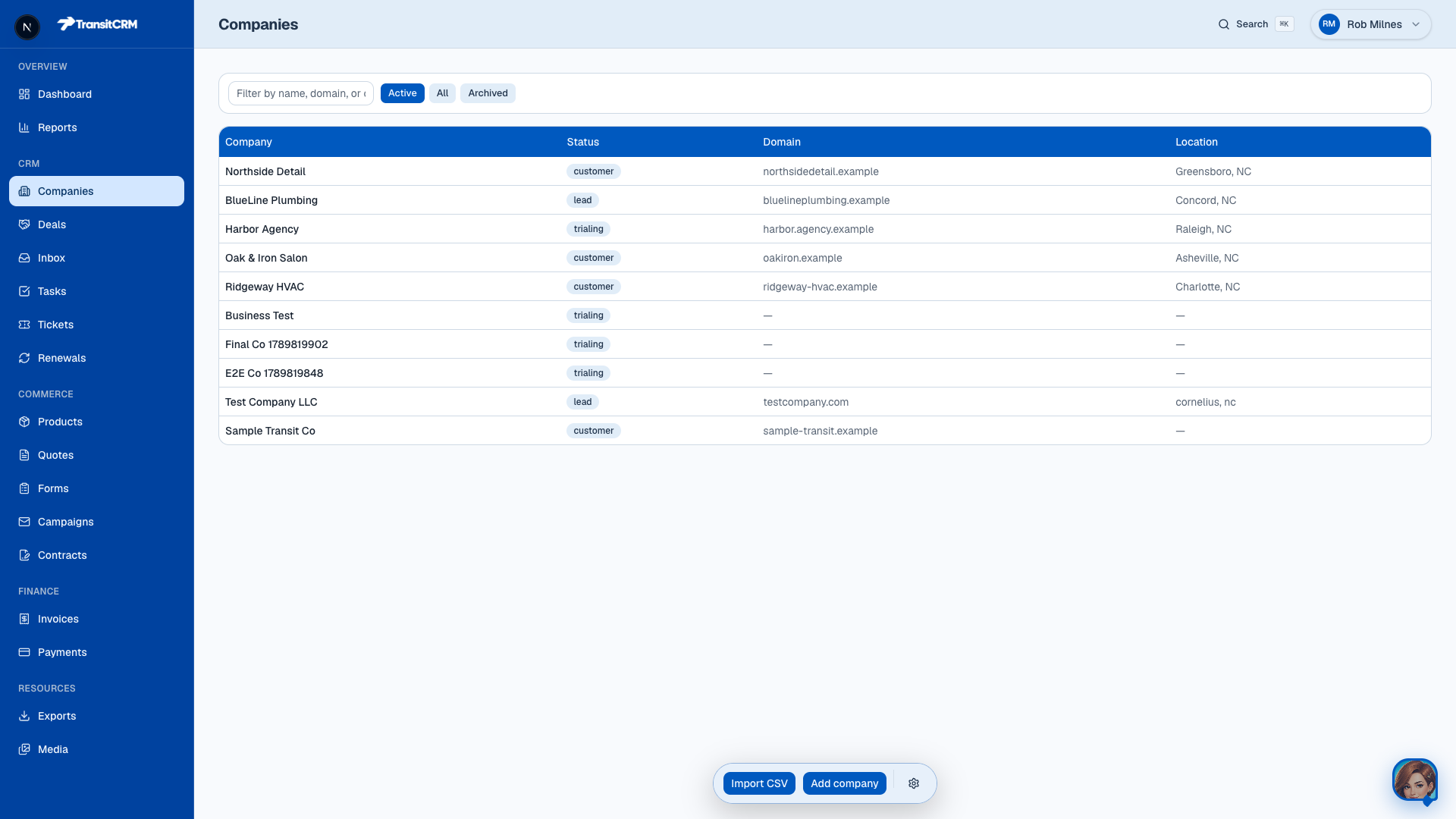
Know the customer
Companies with nested contacts, notes, and files. Status moves from lead to customer as the relationship matures — not a separate “marketing contact” silo.
02
Move the job on a live pipeline
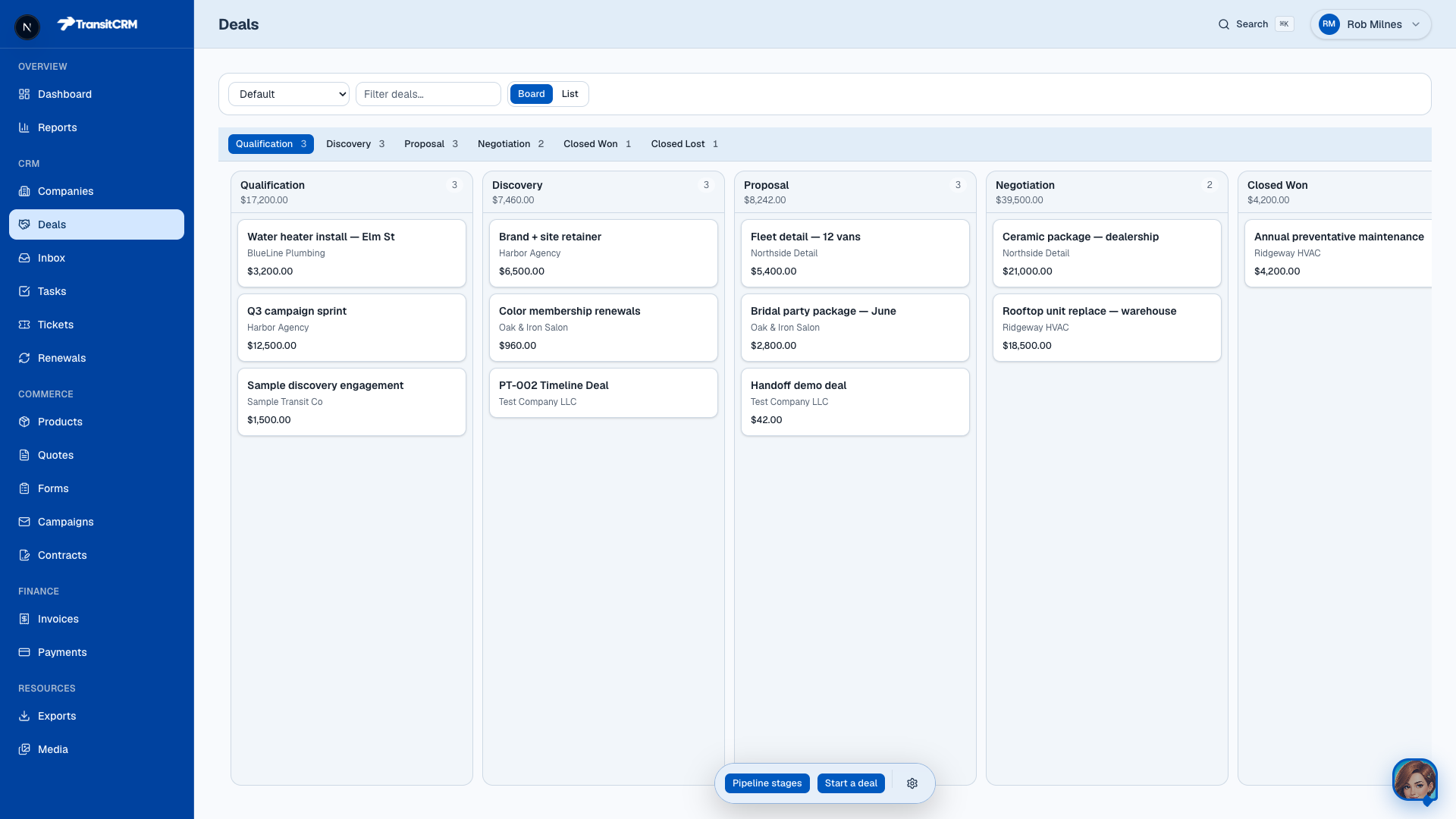
Deals on a board you can trust mid-call. Drag stages, see value per column, keep ownership clear. Watch a deal move below — the same motion as in the product.
Pipeline — live motion
Deal cards moving stage to stage
Qualification
2 dealsWater heater install — Elm St
BlueLine Plumbing
$3,200
Q3 campaign sprint
Harbor Agency
$12,500
Discovery
2 dealsBrand + site retainer
Harbor Agency
$6,500
Color membership renewals
Oak & Iron Salon
$960
Proposal
2 dealsFleet detail — 12 vans
Northside Detail
$5,400
Bridal party package — June
Oak & Iron Salon
$2,800
Negotiation
2 dealsCeramic package — dealership
Northside Detail
$21,000
Rooftop unit replace — warehouse
Ridgeway HVAC
$18,500
Captured from the live product — drag a deal between stages on the board.
03
Quote it — then get paid with Stripe
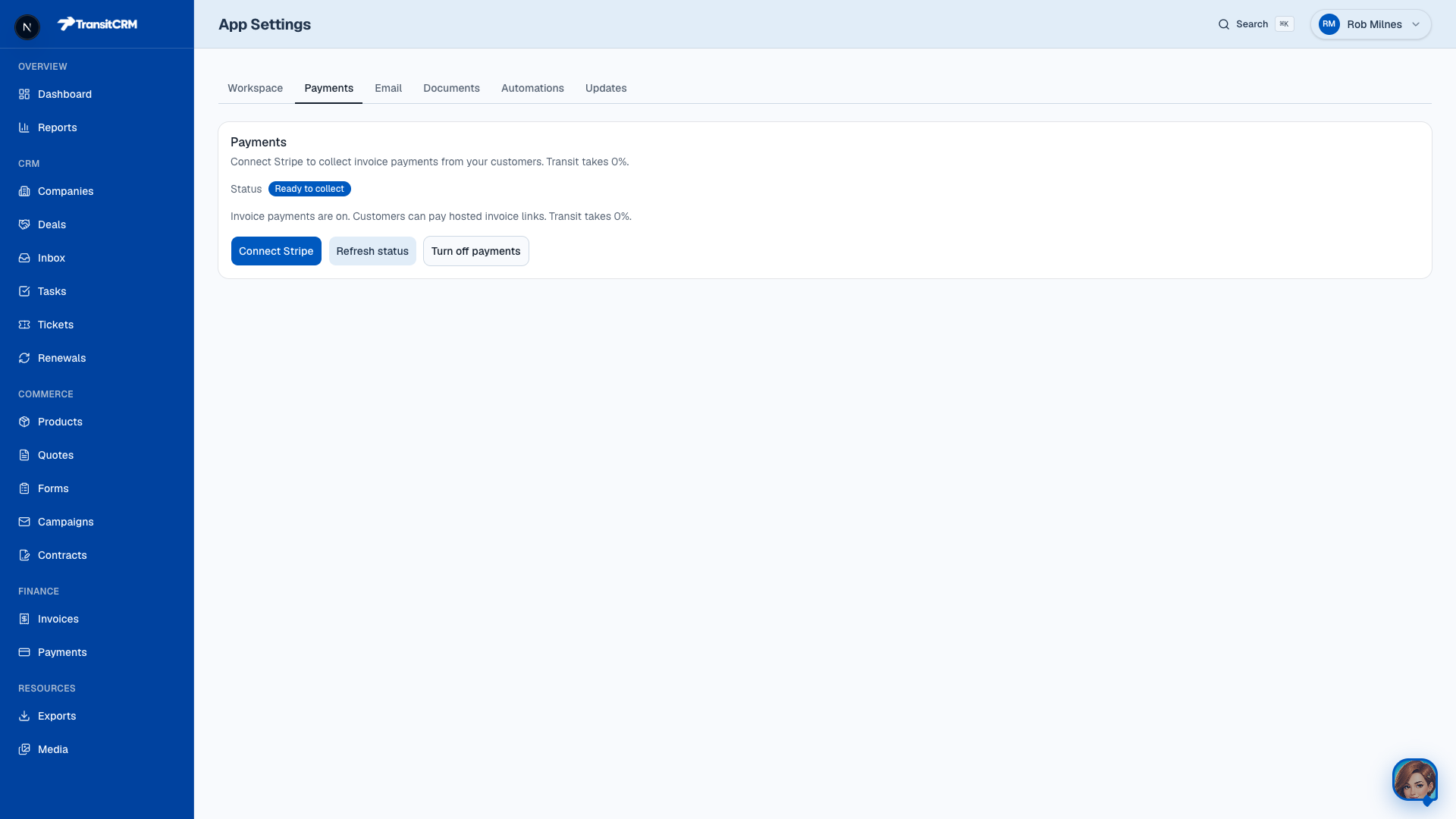
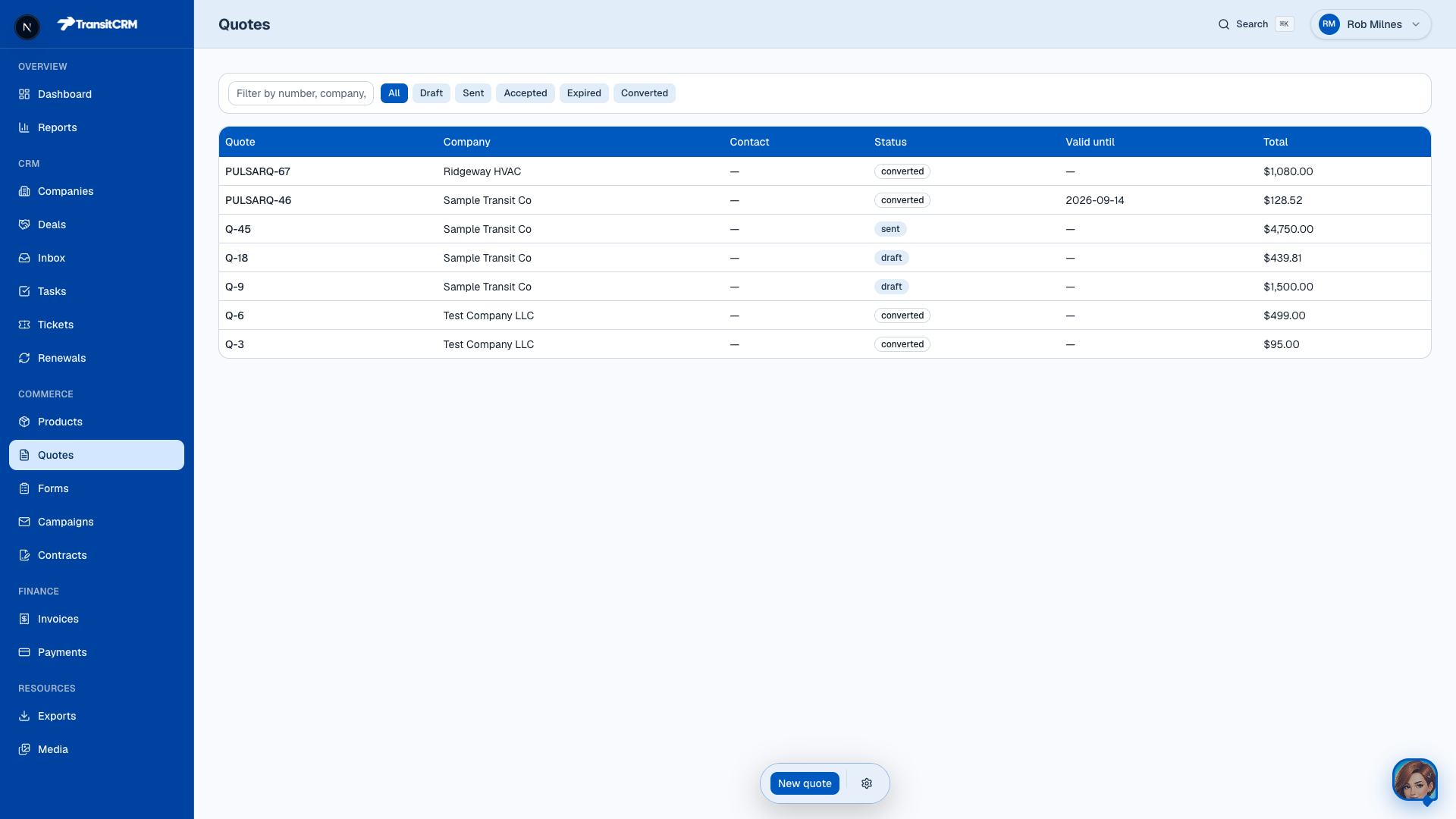
Products, quotes with line items, convert to invoice, share a pay link. Connect Stripe from Settings → Payments with guided Express setup — many teams collect the same day once Stripe KYC finishes. Transit takes 0%; Stripe’s own processing fees still apply. Offline Venmo, Cash App, cash, and check can be recorded too.
04
Work with Piper in the CRM
Ask in natural language: summarize open deals, create a company, move a stage, finish quote→invoice. Same work a human can do — with write policies and Apply confirmation on high-risk steps.
Payments
Guided Stripe setup — collect the day you open the CRM.
In Settings → Payments, Connect Stripe walks you through Express onboarding. When Stripe marks your account ready, invoice pay links work for your customers. Transit takes 0% — Stripe’s own processing fees still apply. Prefer Venmo, Cash App, cash, or check? Record those payments on the invoice without leaving Transit.
- Connect Stripe from Settings → Payments (guided)
- Hosted Checkout pay links — card numbers never touch Transit
- Same-day collection is common once Stripe KYC completes (KYC can take longer)
- Offline / P2P methods recordable today
Already on Square, PayPal, or another processor for your website? Syncing those into Transit is on our roadmap — see the plan we published for bring-your-own gateways. Today’s path for cards in Transit is Stripe Connect.
Getting started takes minutes.
01
Create your account
Start the trial on this site — no credit card for Transit.
02
Open the app & connect Stripe
Sign in, walk through setup, then Settings → Payments when you’re ready to collect.
03
Work the board with Piper
Drag deals yourself or ask Piper — quotes, invoices, and follow-ups in one loop.
Prefer detail? Read the full product story.
Start today
Try the full product free for 30 days.
30 days. No credit card. Create your account here, then open the app and start the guided walkthrough.